Configuring Amazon Eventbridge
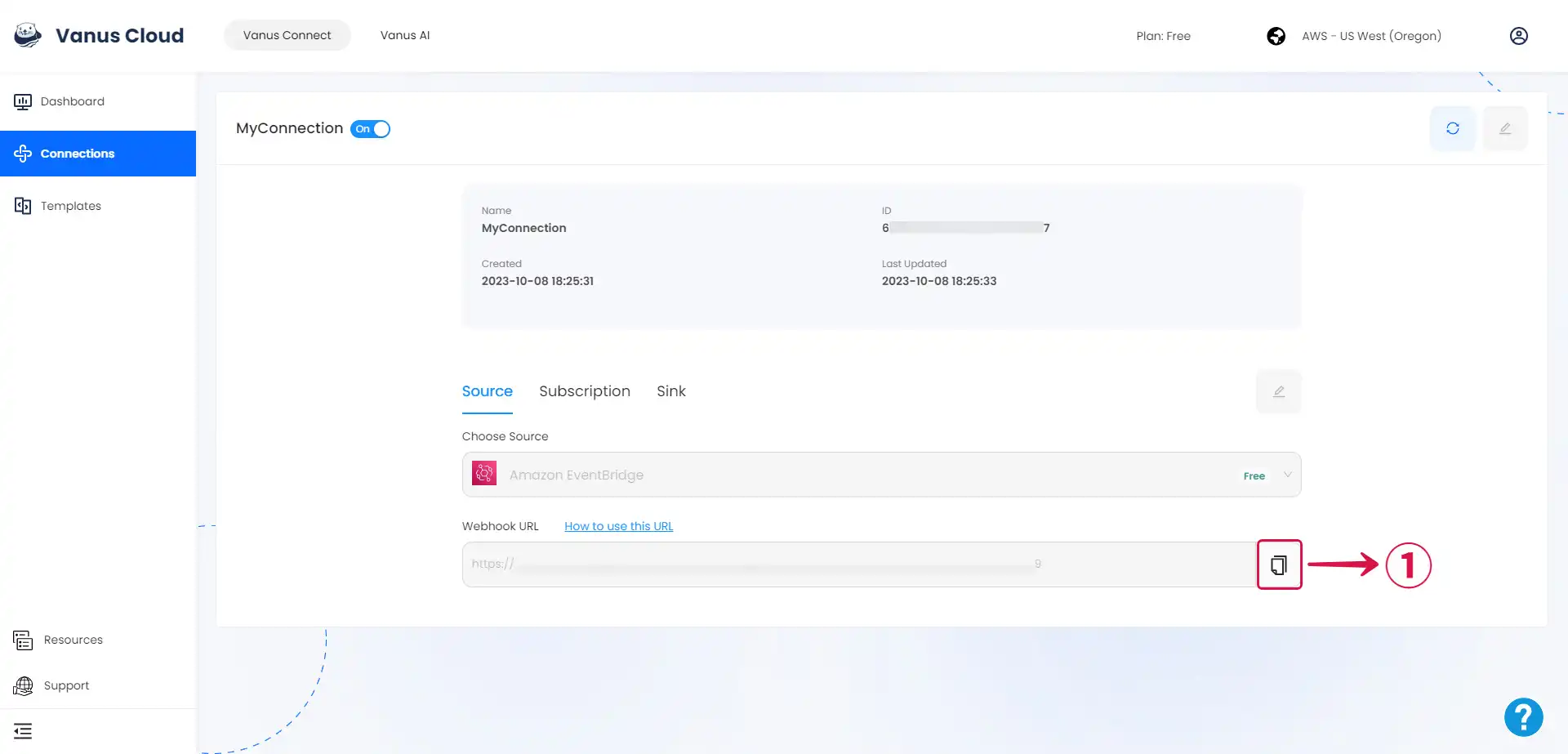
- Click the copy icon① to copy the webhook url.
Step 1: Create an Event Bus
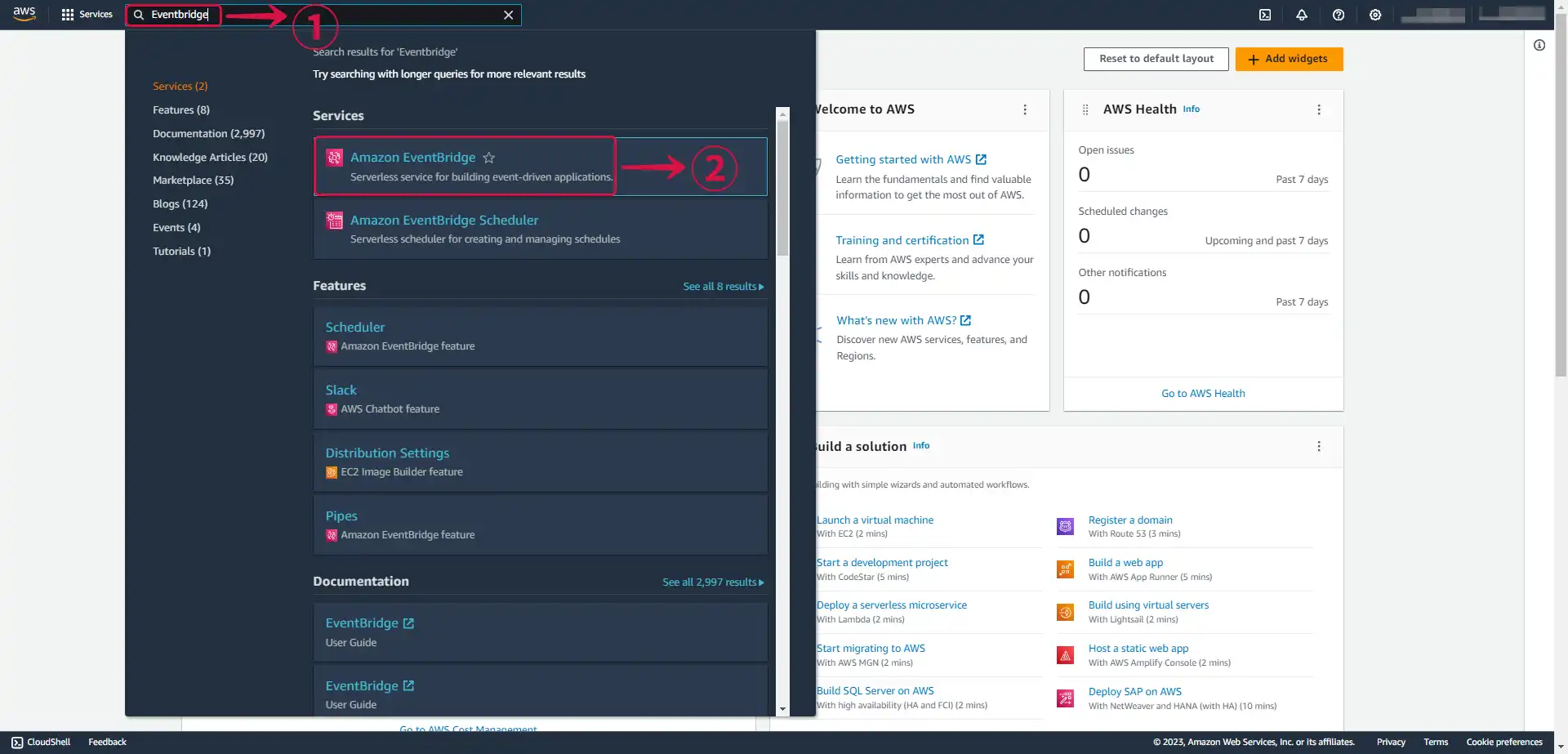
- Search for Eventbridge① and select Amazon EventBridge② from the results.
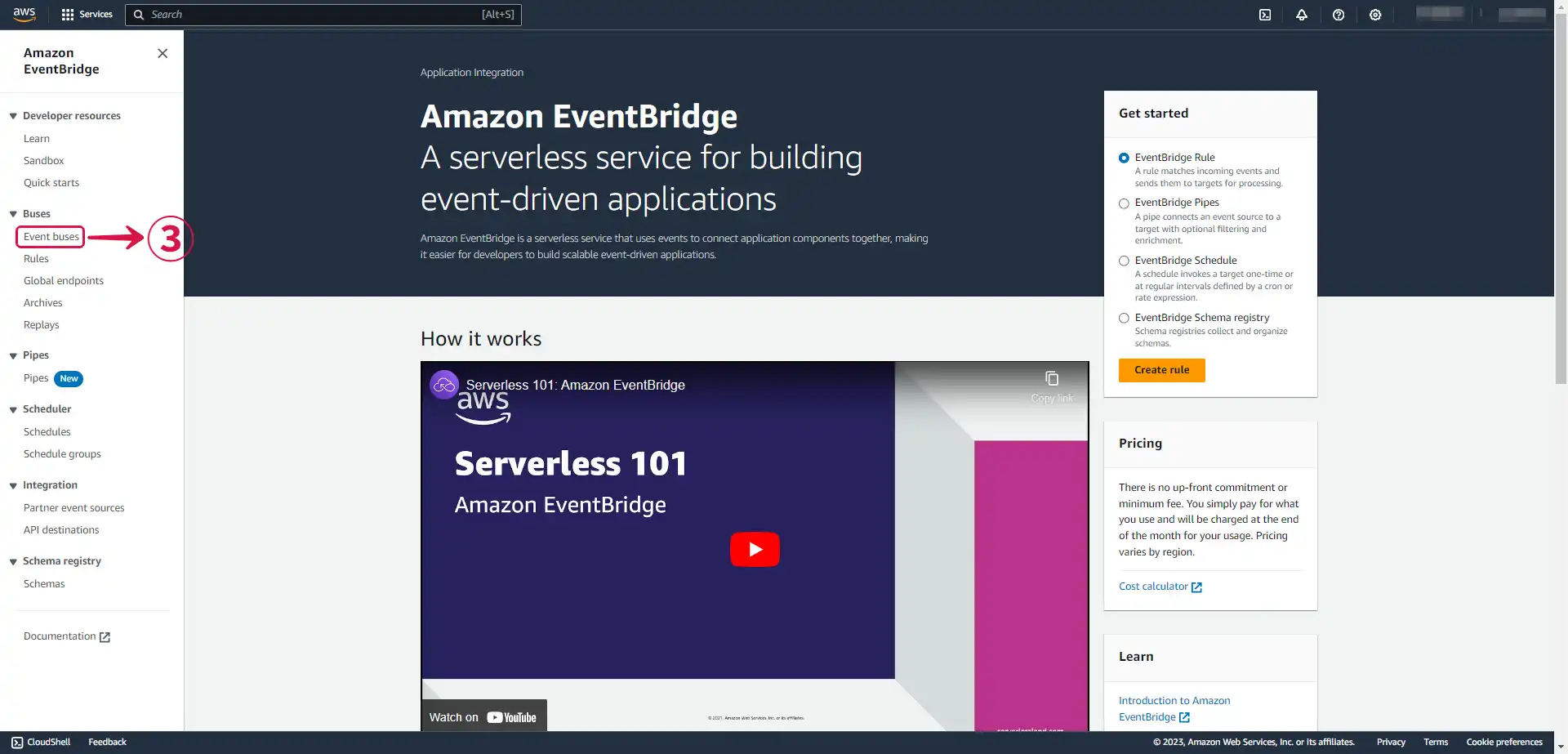
- In the side menu click Event buses③.
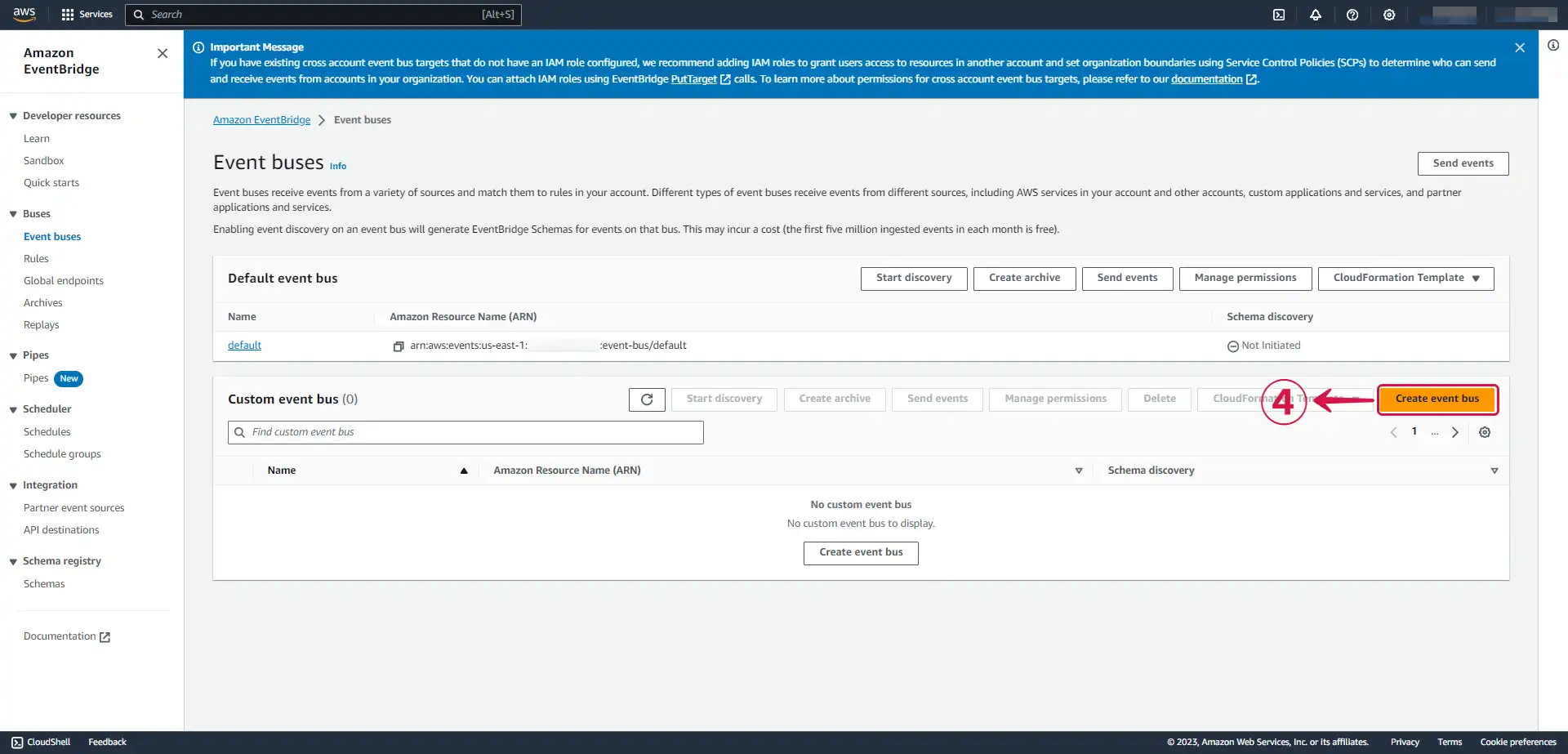
- Click on Create event bus④ to create a new event bus, if you haven't already.
- Write a Name⑤ and press Create⑥.
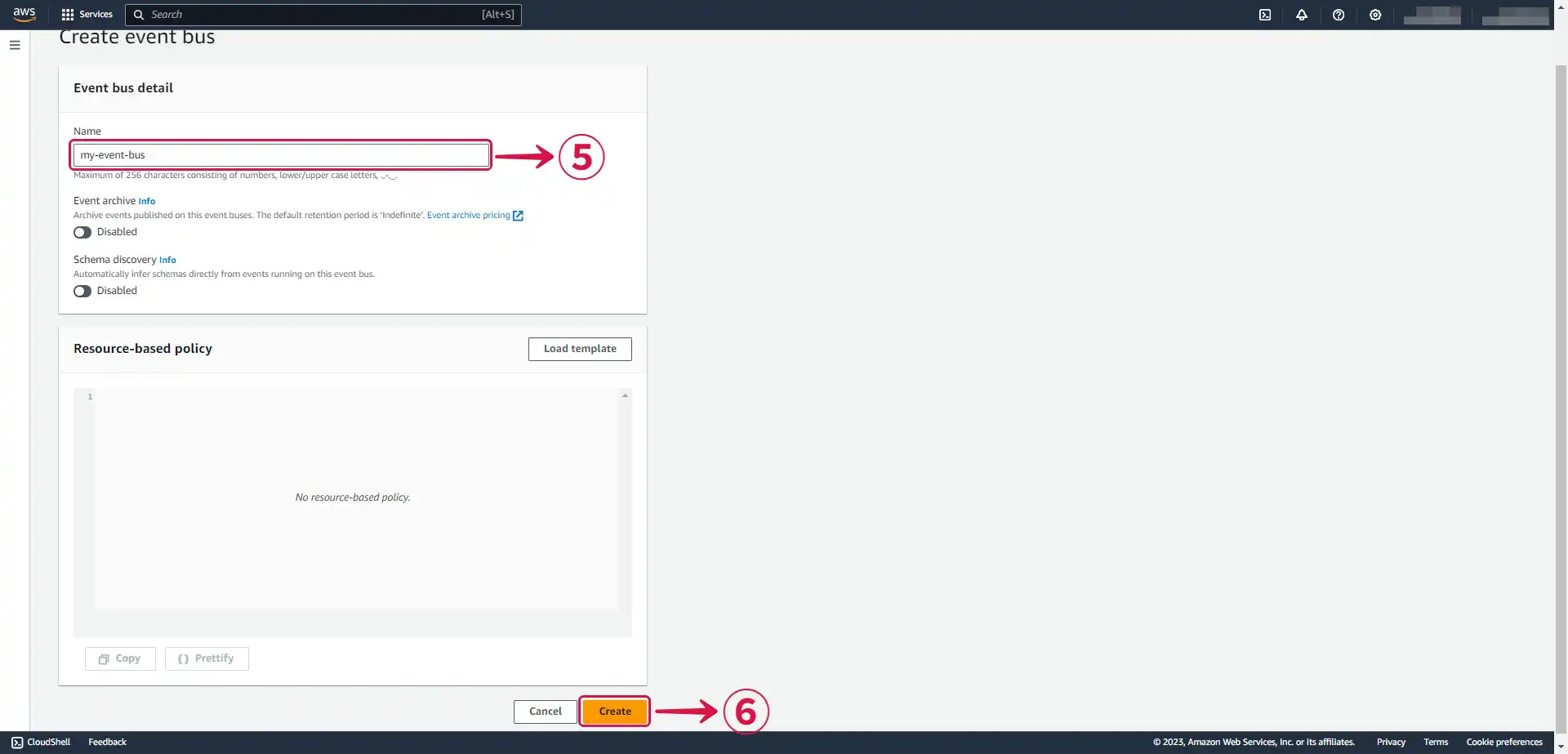
Step 2: Create a Rule
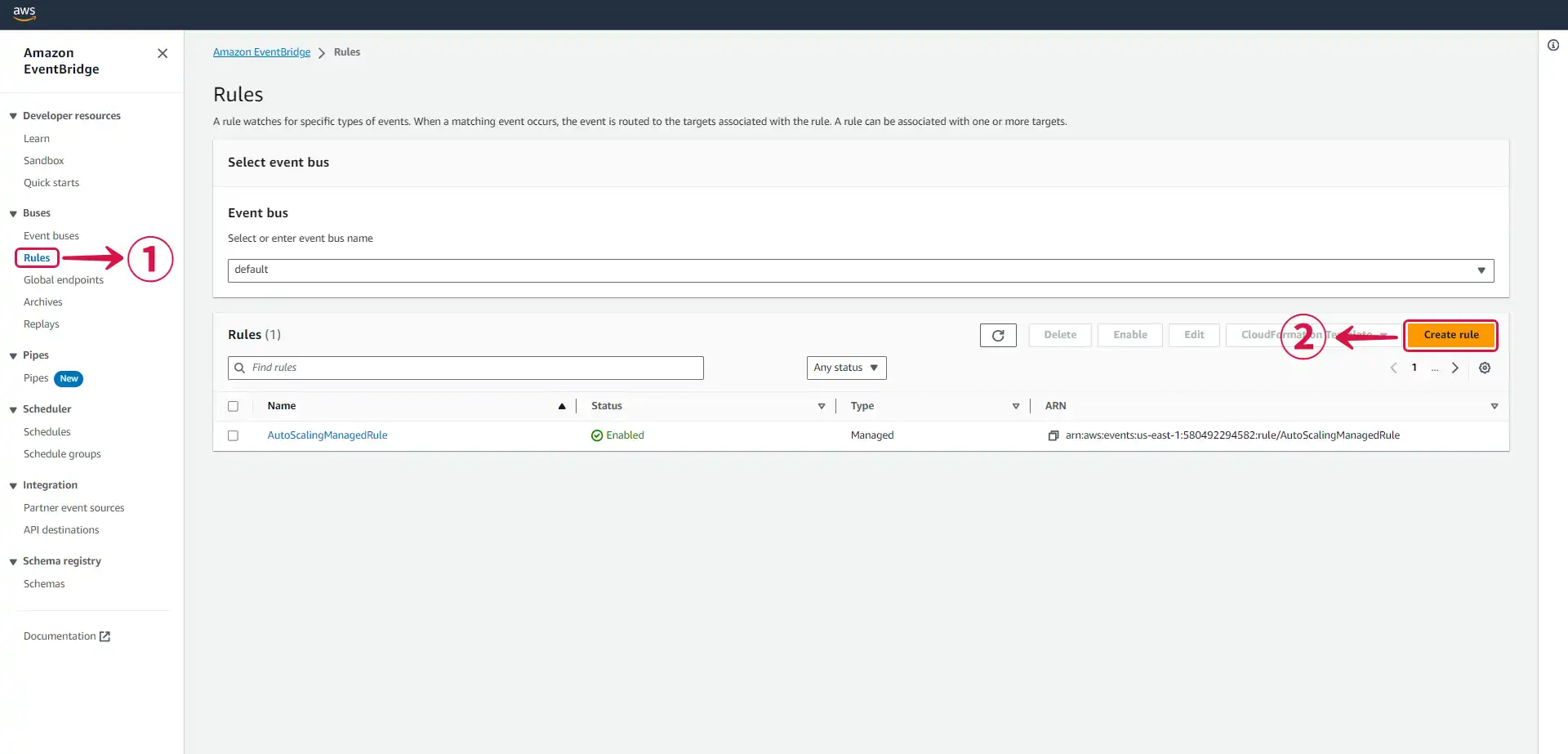
- Go to Rules① from the side menu and click Create rule②.
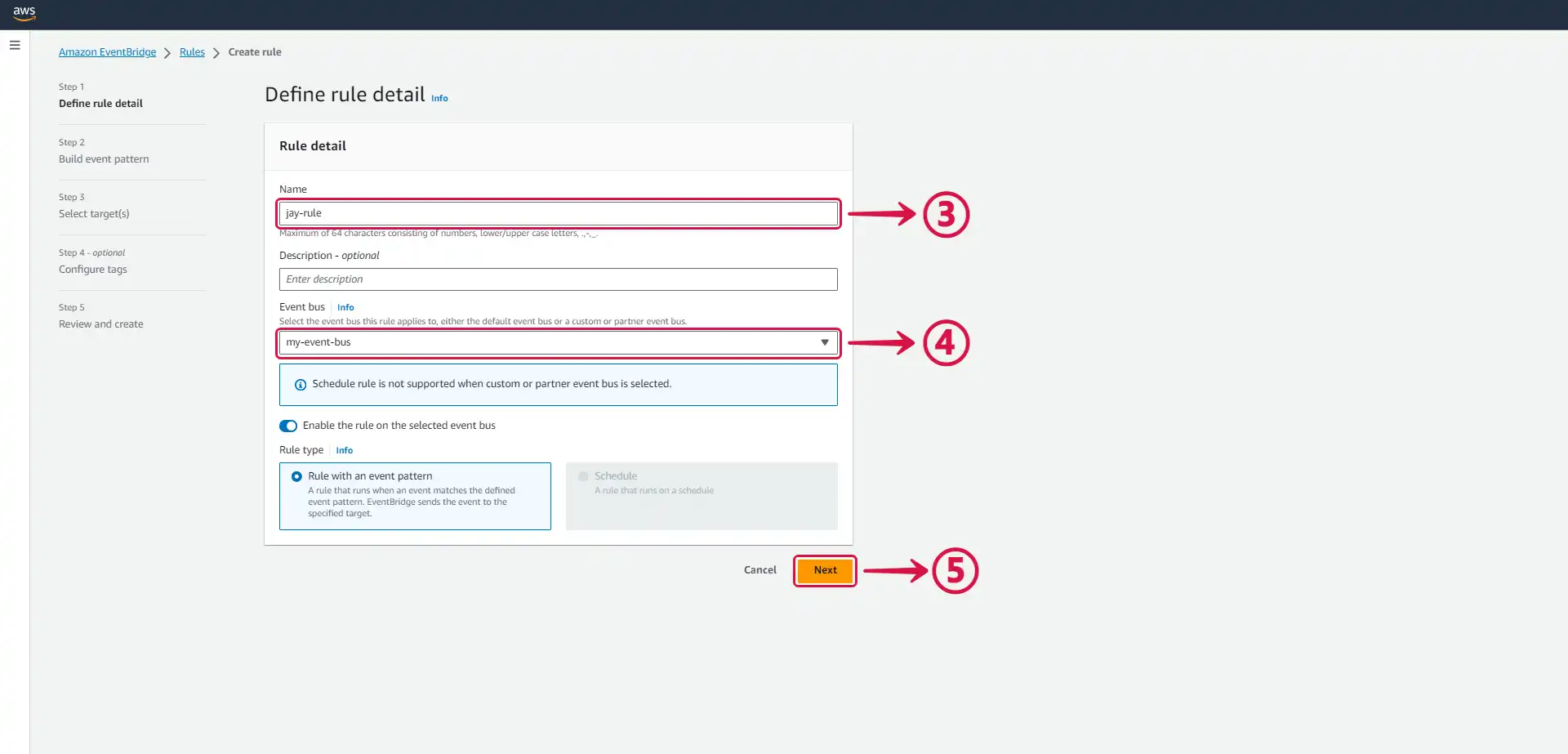
- Name③ your rule, select your Event bus④ and press Next⑤.
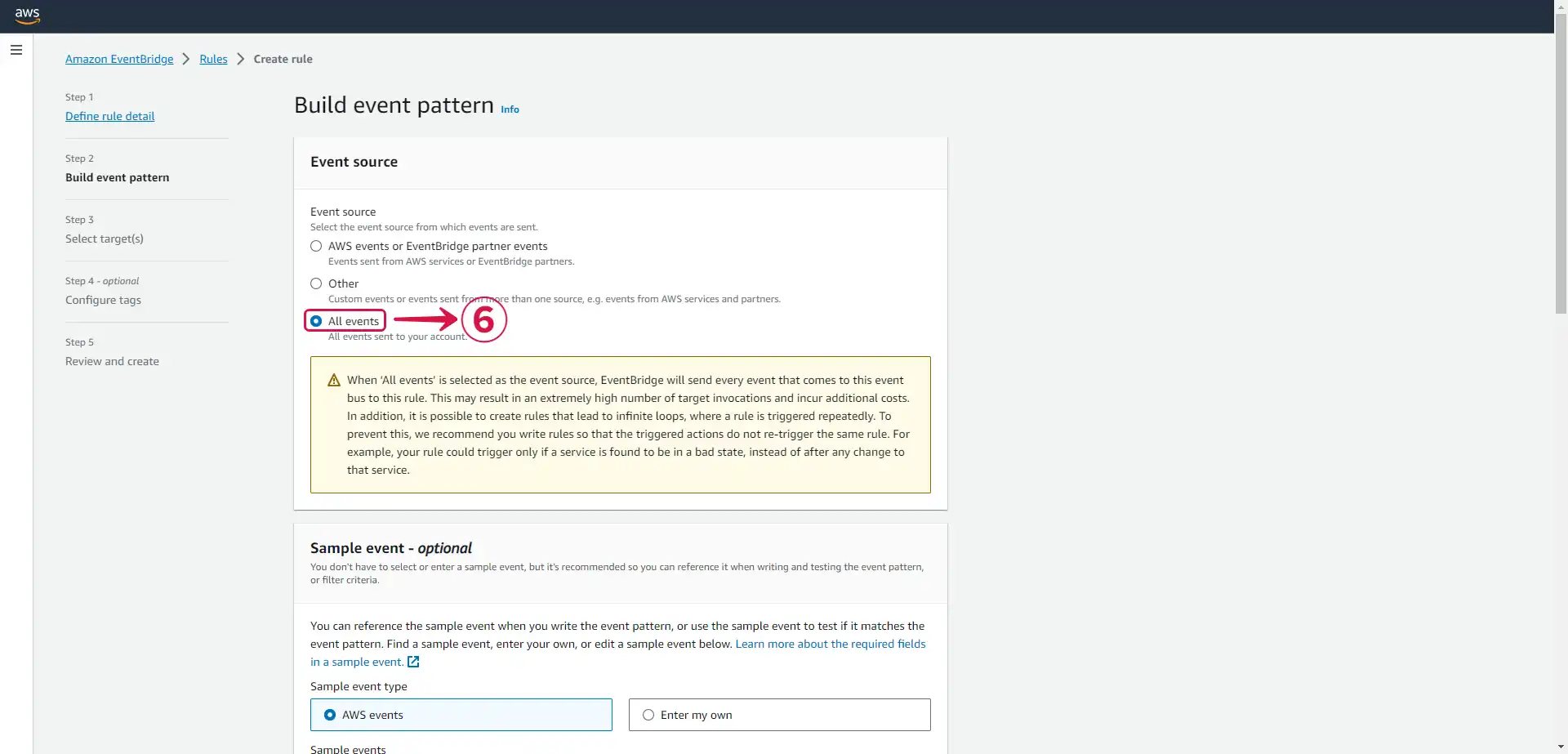
- Select all events⑥.
- Press Next⑦ to continue.
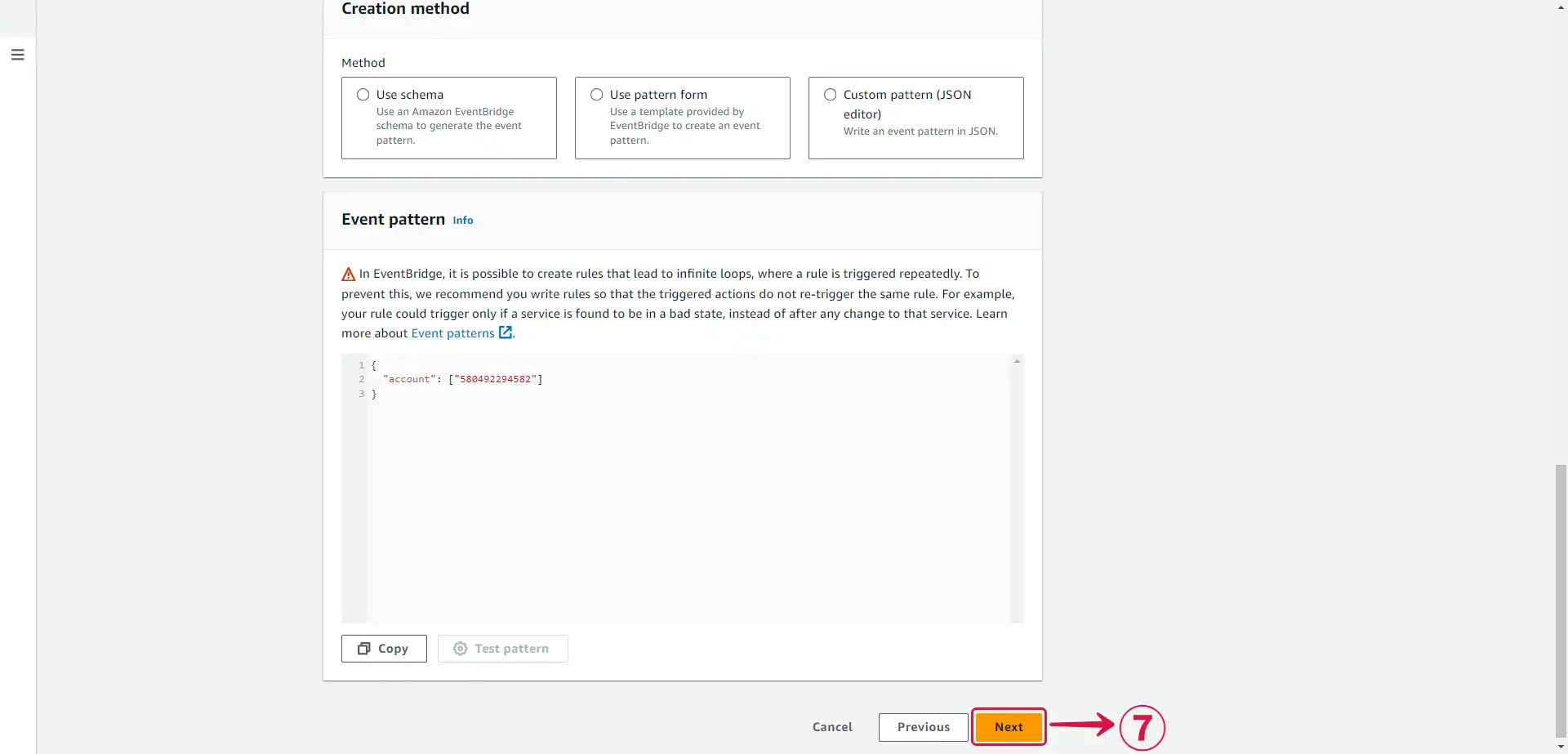
Step 3: Create an API Destination and Connection
- Set your API destination
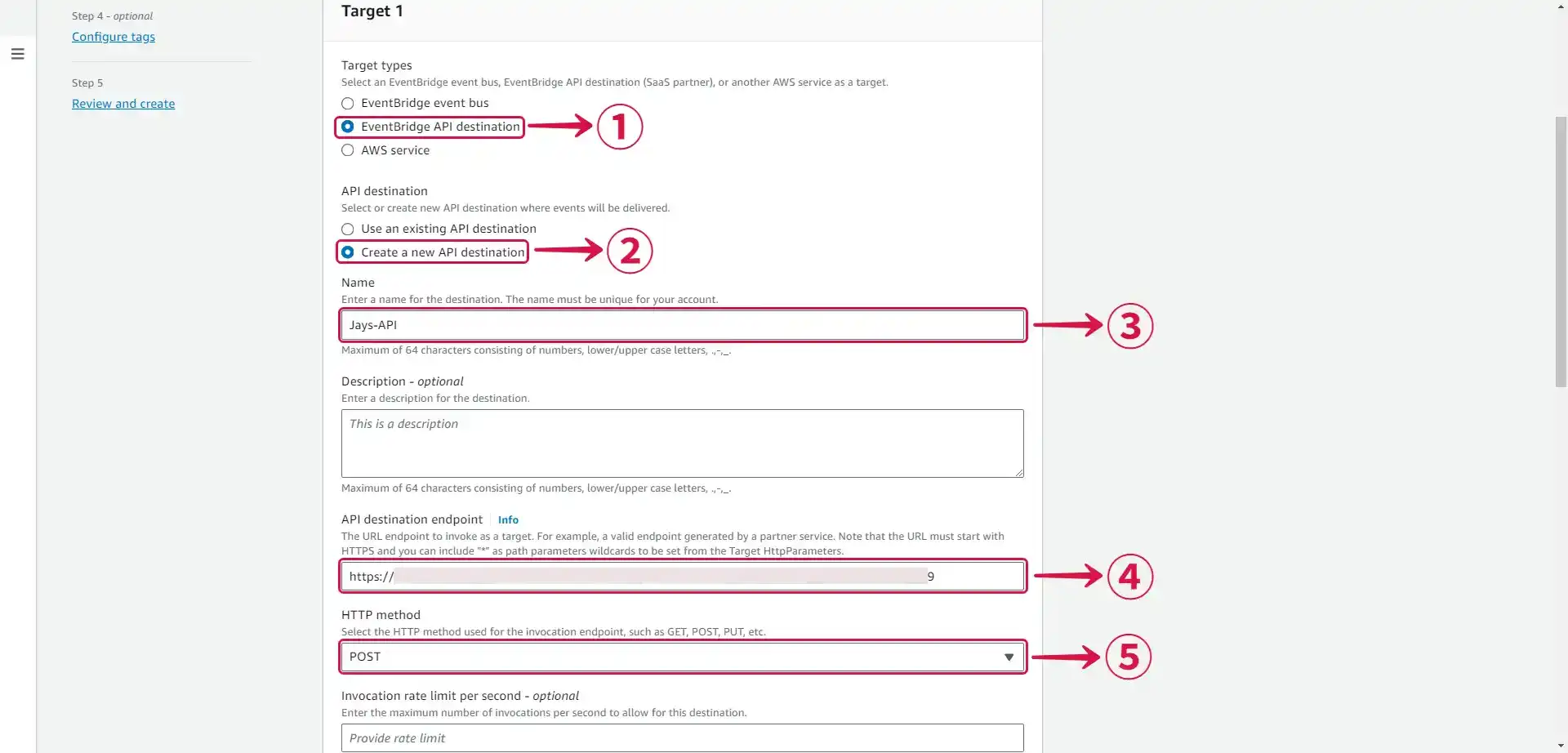
- Select EventBridge API destination①.
- Select Create a new API destination② under API destination.
- Write a connection Name③.
- Set the API destination endpoint④ to the URL from Vanus Connect from step 1.
- Set the HTTP method⑤ as
POST.
- Create a connection
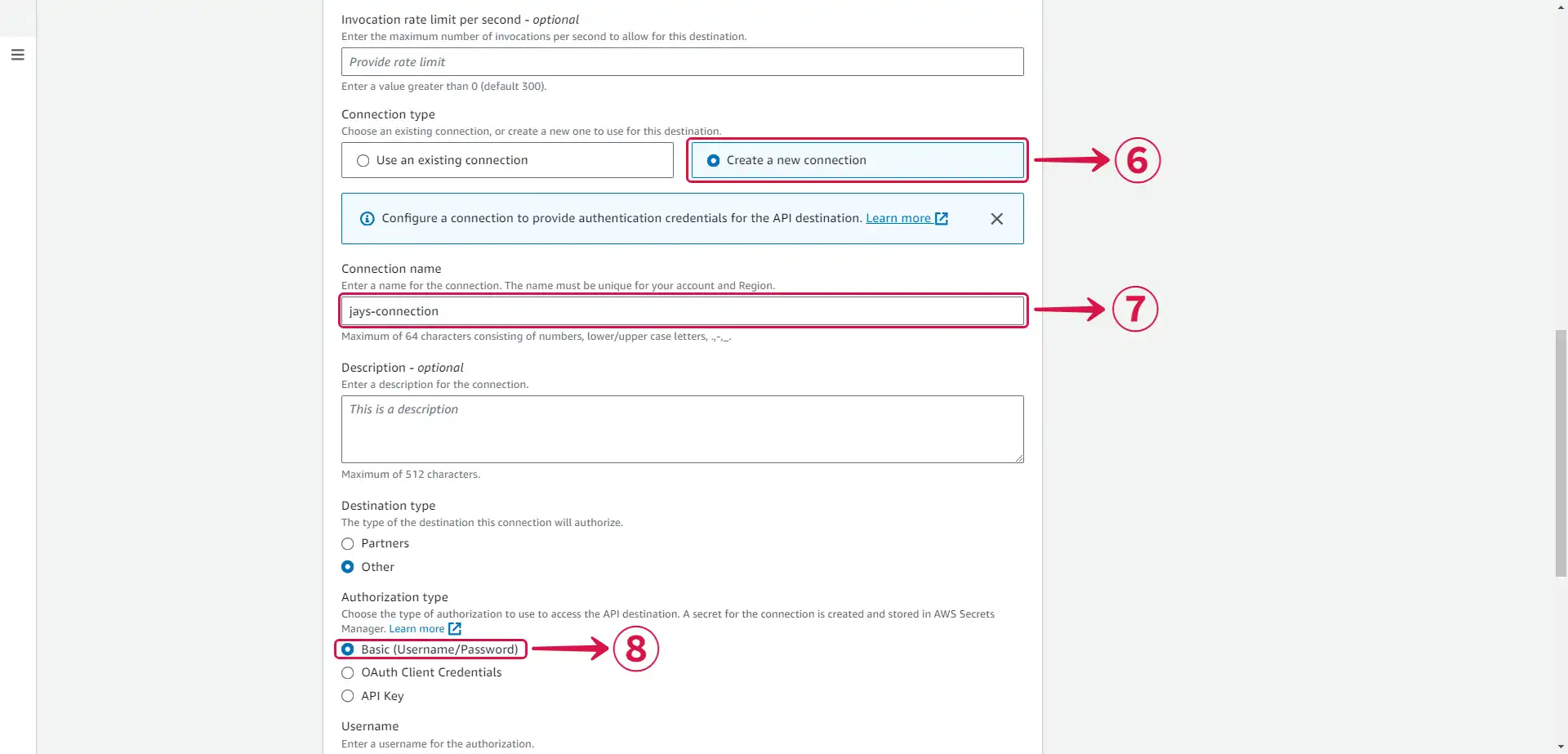
- Select Create a new connection⑥.
- Write a Connection name⑦.
- Select Basic (Username/Password)⑧ under Authorization type.
- Authorization
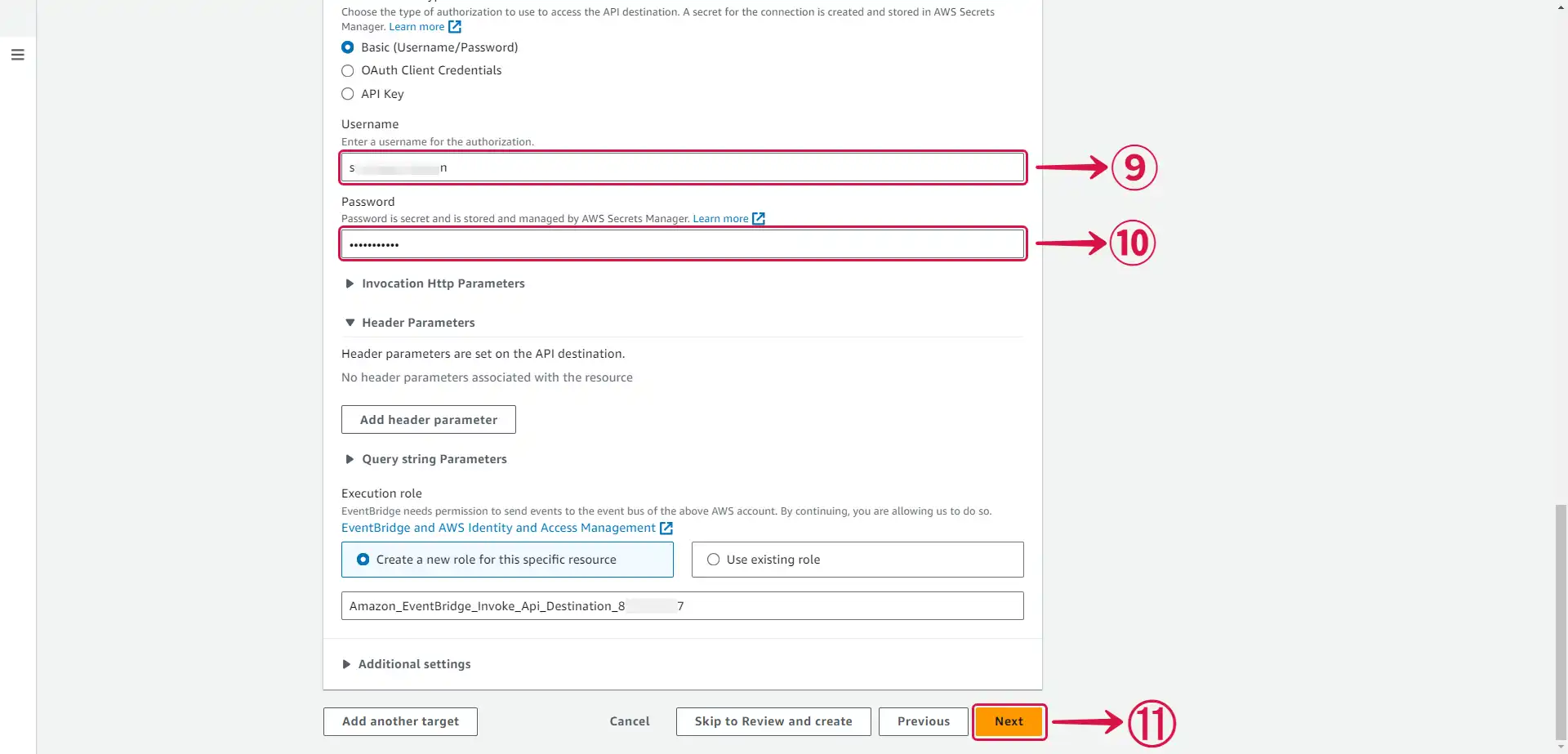
- Create a Username⑨ and a Password⑩ of your choice, this won't be needed in this scenario but it is required.
- Press Next⑪.
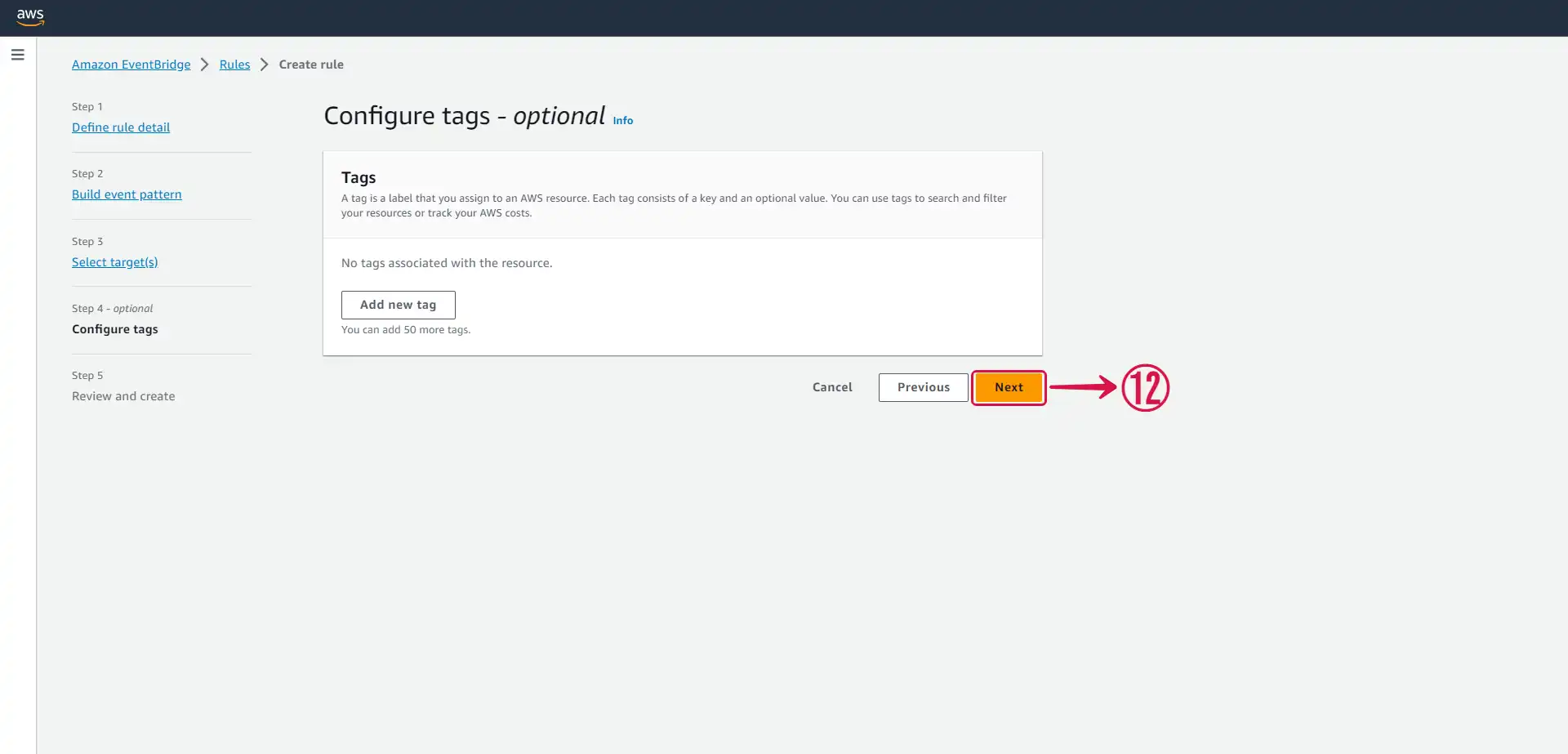
- Under Configure tags - optional press Next⑫.
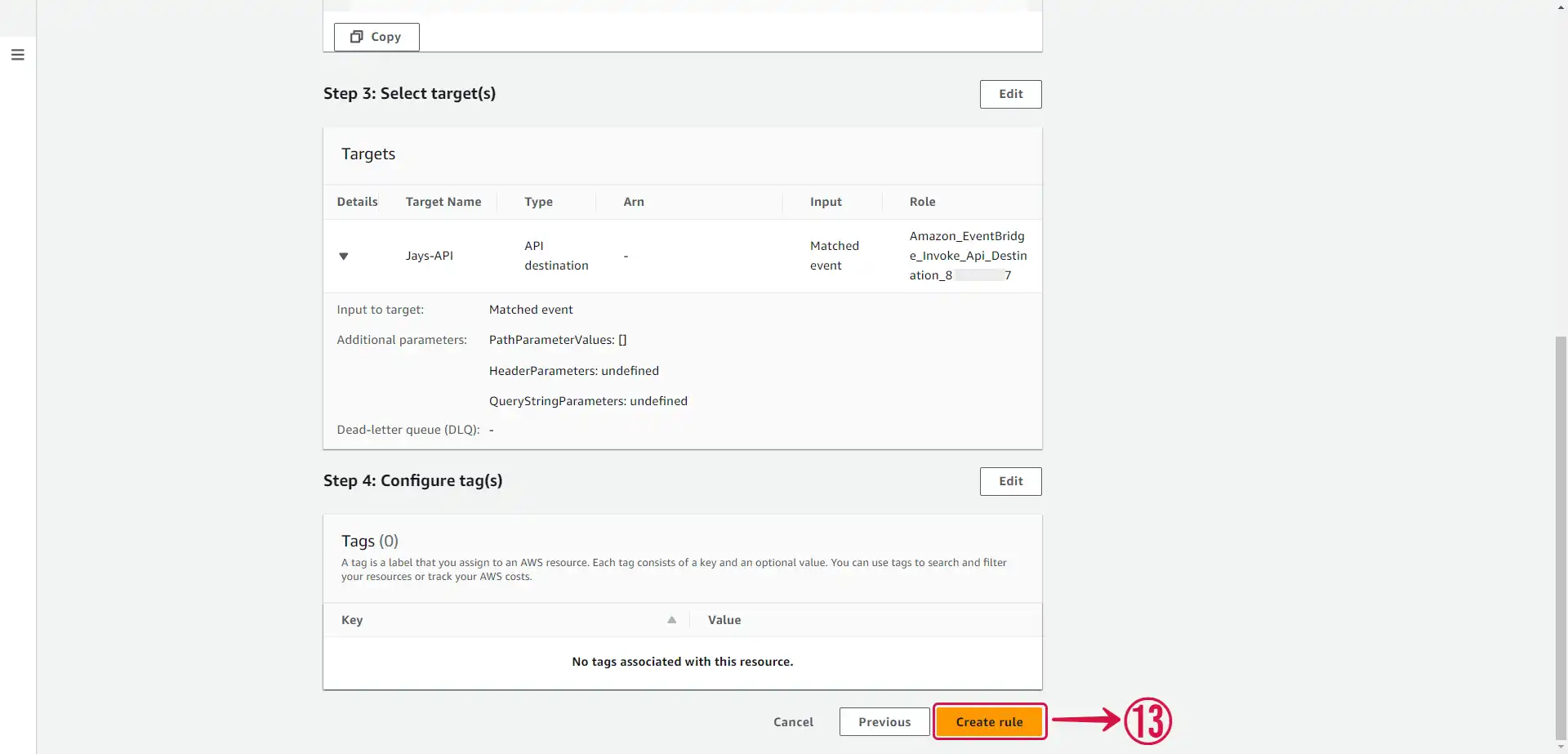
- Review and press Create rule⑬.
Now every event sent to your Event Bus will be sent to your Vanus connection.